
Nodevideo免费视频剪辑软件:媲美桌面Premiere的Android神器
大小: 124.81 MB
更新: 2026-05-14
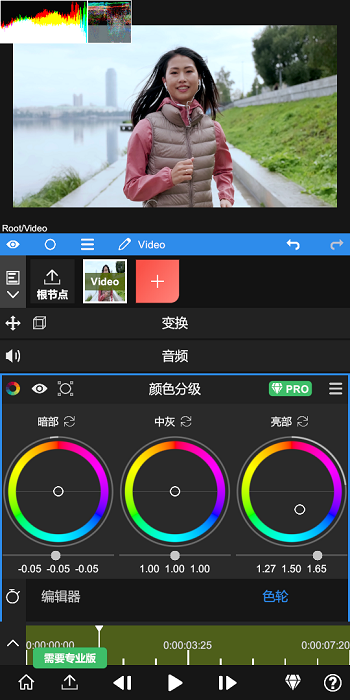
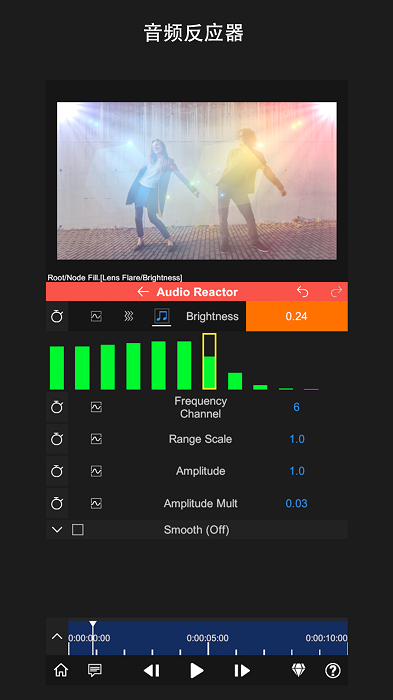
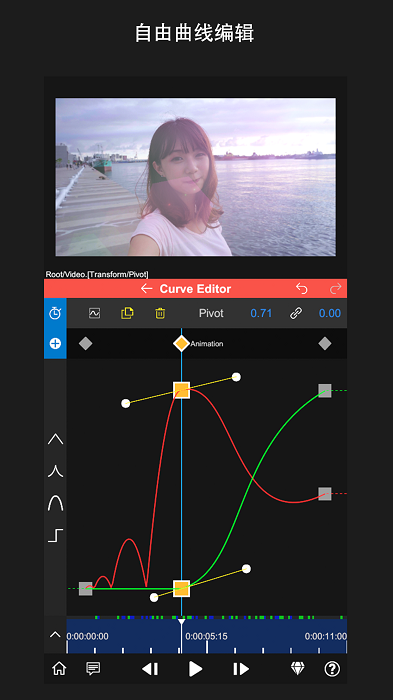
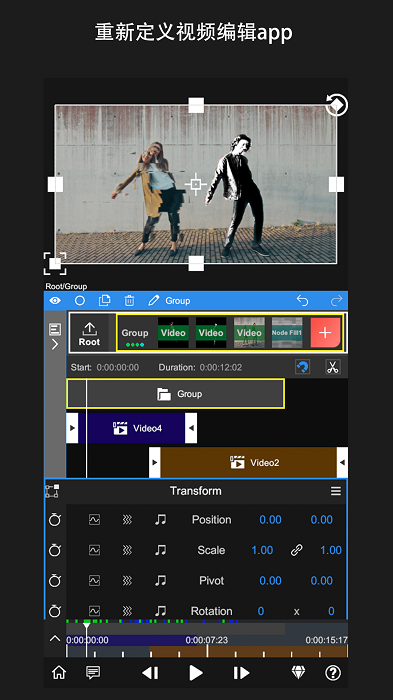
Nodevideo是一款专为Android设备设计的免费视频剪辑软件,其英文名字正是Nodevideo。这款软件具备丰富的剪辑功能,包括曲线编辑、Saber特效、光流补帧等,其性能足以与电脑端的Premiere相媲美。软件针对手机触屏操作进行了优化,用户可以通过双指缩放轻松查看视频中的特效细节。只需几步简单的操作,用户就可以完成视频的剪辑、拼接、渲染等任务,充分展现个人创意,制作出令人惊叹的短视频,适合在朋友圈中展示才华。
The free version of the NV editing software, known as Nodevideo, is a video editing tool specifically designed for Android devices. It boasts a range of editing features, including curve editing, Saber effects, and optical flow frame interpolation, which are comparable to those found in high-end desktop software like Premiere. The app is optimized for touch-screen operation, allowing users to zoom in on video effects with two fingers and complete video editing, splicing, and rendering in just a few simple steps. This makes it easy for users to unleash their creativity and produce short videos that are sure to impress on social media platforms like WeChat Moments, Weibo, Douyin, and Kuaishou. Key Features: - A timeline, keyframe animations, curves, masks, and color correction to meet the visual needs of video editing. - Effortless creation of impressive videos that can make you a video expert on popular social media apps. - The addition of God-like subtitles to make your videos more entertaining, along with support for variable playback speeds and one-click adjustment of video tempo. Highlights: - The ability to reverse videos and easily alter their playback speed, accommodating both long and short videos. - Access to a selection of Hollywood-style special effects, including flames, magical energies, and particle effects, transforming you into a hero in your videos. - Availability of thousands of copyrighted music tracks, as well as the option to add your own local songs for added creativity. Advantages: - Applying filters to beautify videos in various scenarios with just one click to change the video style and create the most trendy short films. - Comprehensive tutorial support for beginner editors, offering step-by-step guidance to help users master editing techniques. - Simplicity in completing tasks such as video cropping, editing, splicing, and 3D rendering to produce top-quality video works. Common Issues & Solutions: 1. If the video playback is choppy: The main function of NV Editing Software is "composition," not "editing," which involves a caching process. Once the rendering is complete (indicated by a green progress bar), playback will be smooth on the second try. 2. If the exported video has black borders due to size mismatch: Select the root node and adjust the 'scale' to match your video's aspect ratio. 3. If the project file cannot be opened: Export the project as a .zip file and send it to contact@nodevideo.com for assistance from the development team. 4. If only one layer is playing during preview: In project settings, change the preview render mode to 'all layers.' Overall Assessment: NV Editing Software's free version is a mobile editing tool that allows users to render videos, add effects, and perform frame interpolation without the need for additional plugins. Even novice editors can quickly produce professional-looking videos. Completed projects can be saved locally or uploaded to the cloud for safe keeping.
大小: 124.81 MB
更新: 2026-05-14

大小: 156.89 MB
更新: 2026-05-14

大小: 43.7M
更新: 2026-05-12

大小: 143.86 MB
更新: 2026-05-12

大小: 55.3M
更新: 2026-05-11

大小: 64.42 MB
更新: 2026-05-10